
Apply to BYMUN 2026
Choose your role. Each takes less than five minutes to complete.
Read the FAQ, Terms, and Code of Conduct before applying.
Your BYMUN 2026 Journey
Applications are currently closed. Check back soon for updates.
Application Process & Principles
BYMUN 2026 utilizes a modern passwordless application model designed for ease and privacy.
1. Rolling Evaluation
Submissions are reviewed by our academic committee on a rolling evaluation schedule.
2. Pay Upon Approval
Delegate registration fee is only payable after Secretariat approves your application.
3. Instant Confirmation
Payment confirmation instantly verifies your delegate seat with official receipt.
How to Pay via bKash
Seven steps. Takes about 60 seconds. Follow along on your phone.
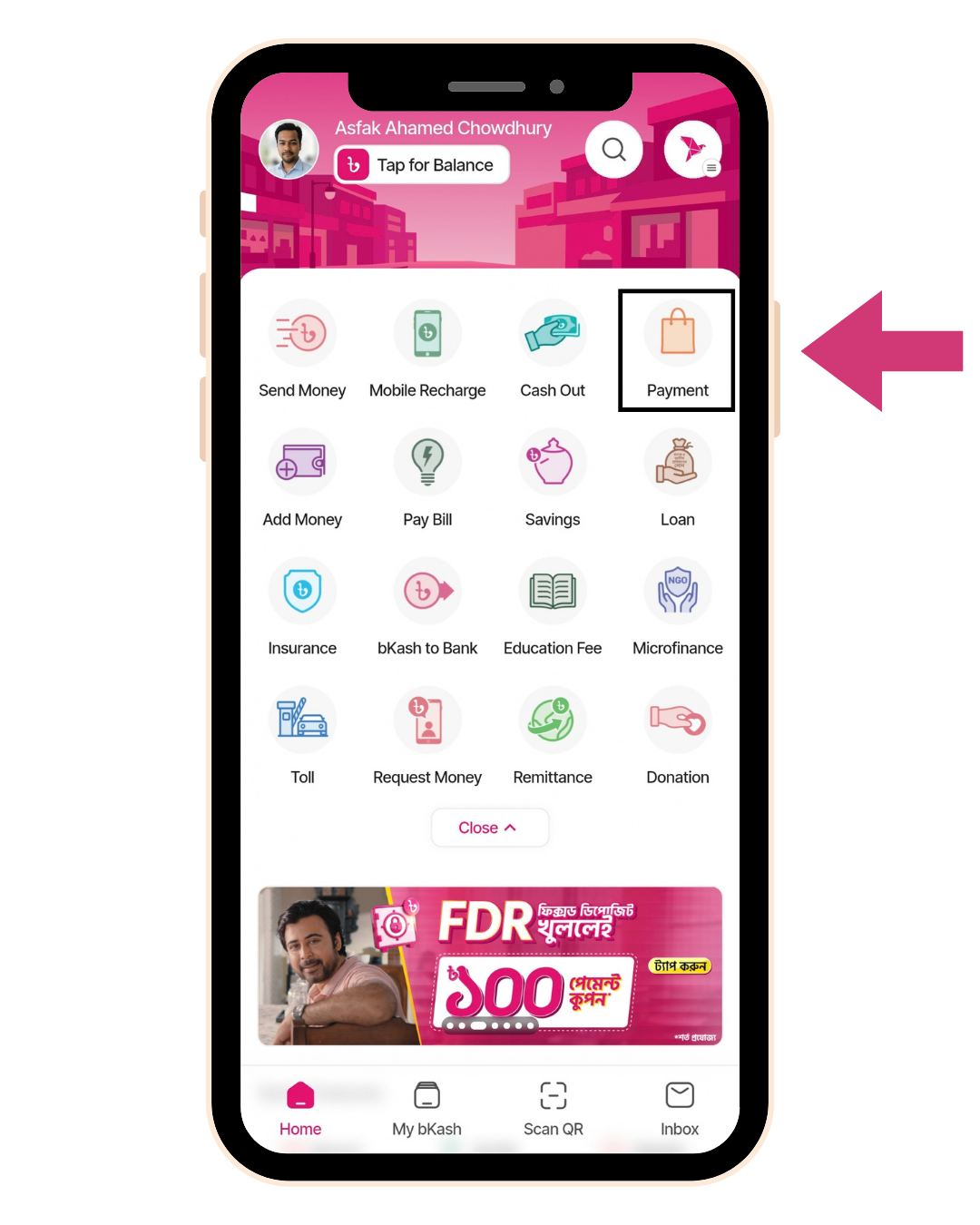
Open bKash and tap "Payment"
Launch the bKash app. On the home screen, tap the "Payment" icon in the top-right corner.
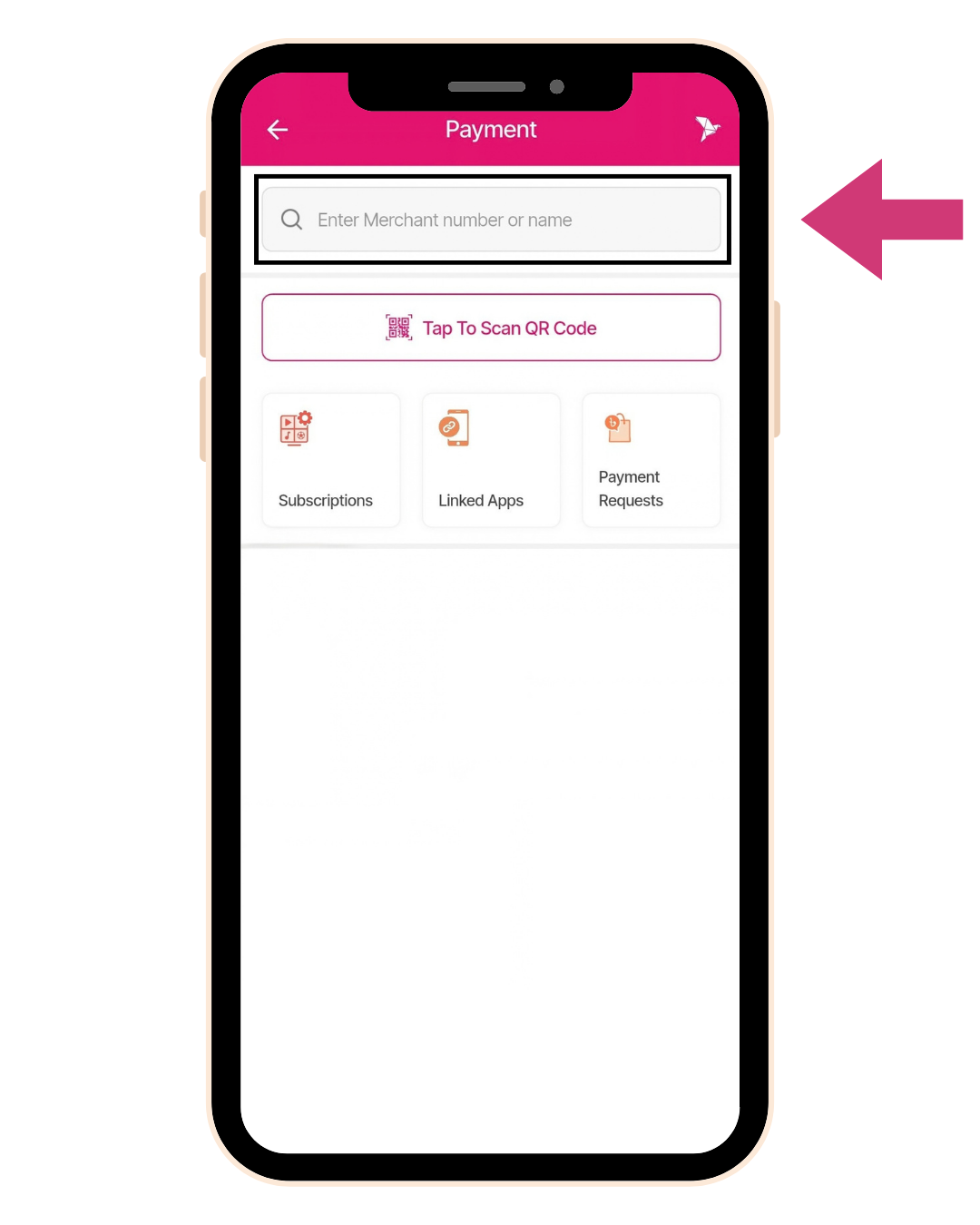
Enter the merchant number
In the search bar, type the BYMUN 2026 merchant number: 01956448128
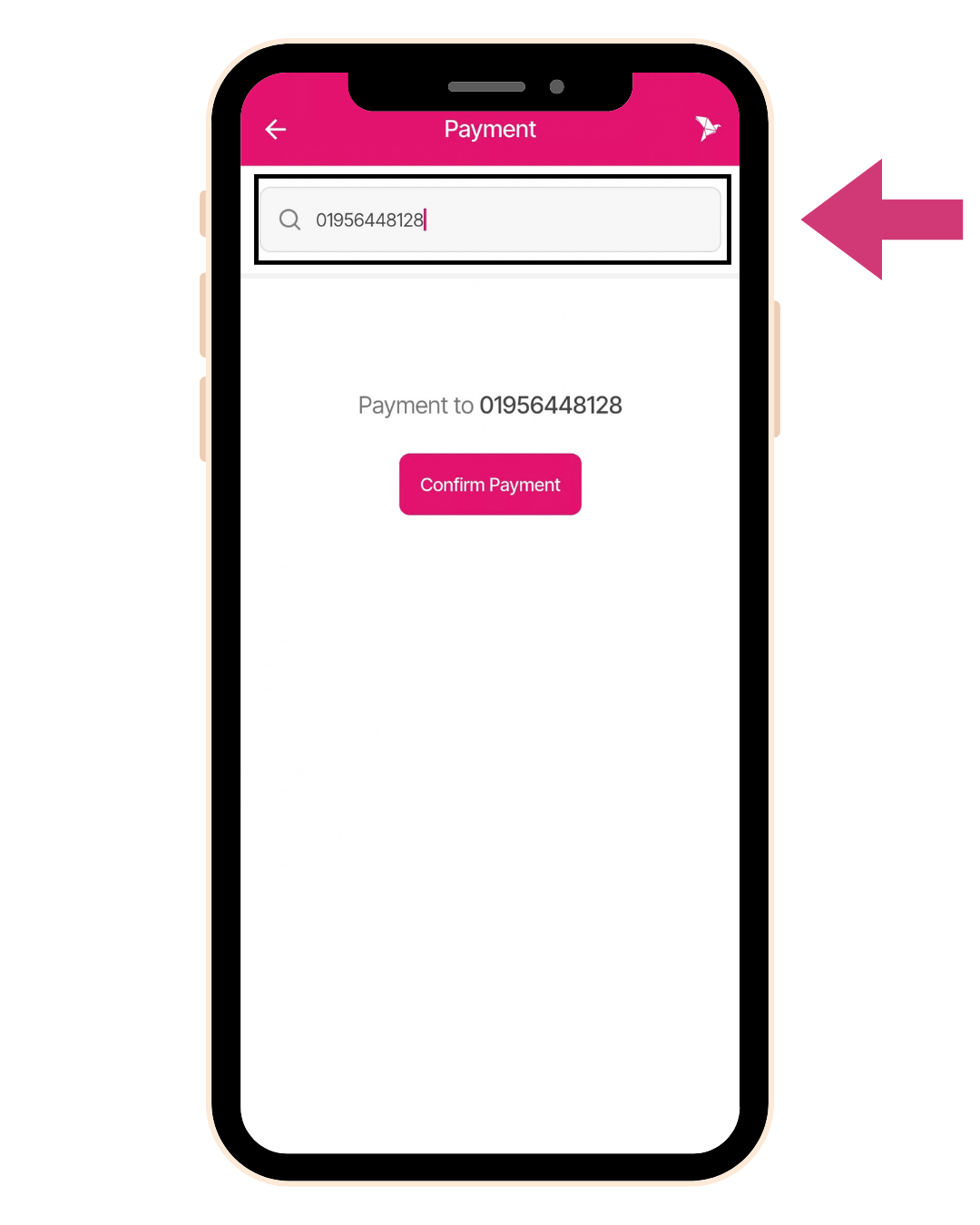
Confirm the merchant
The app will show "Payment to 01956448128". Tap "Confirm Payment" to continue.
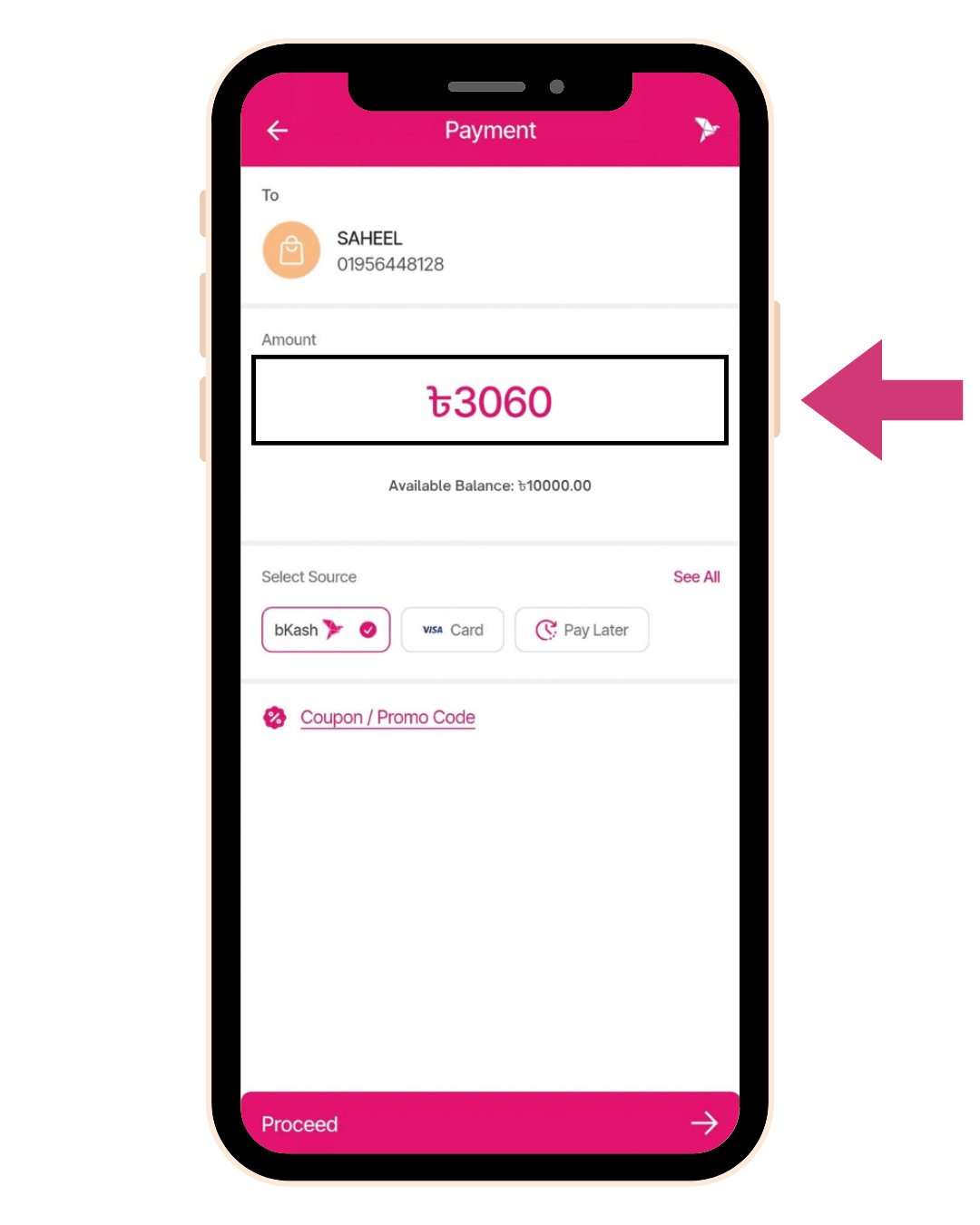
Enter the amount
Type 3060 (your delegate registration fee). Make sure bKash is selected as the source.
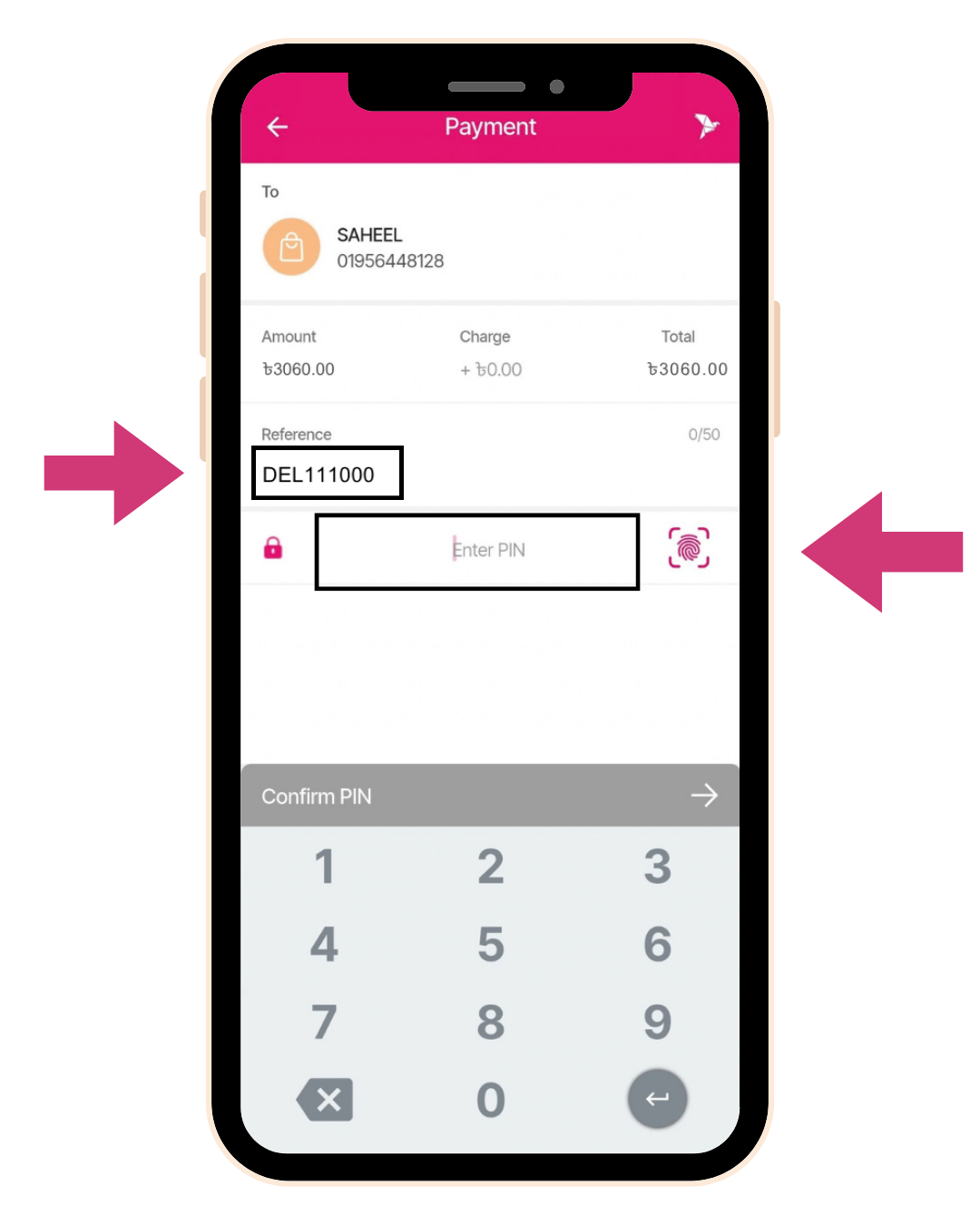
Enter your delegate ID as reference
In the "Reference" field, type your delegate ID — WITHOUT the hyphen. This is how we match your payment to your registration.
Important: If your ID is DEL-441788, type DEL441788. Hyphens are not accepted by bKash.
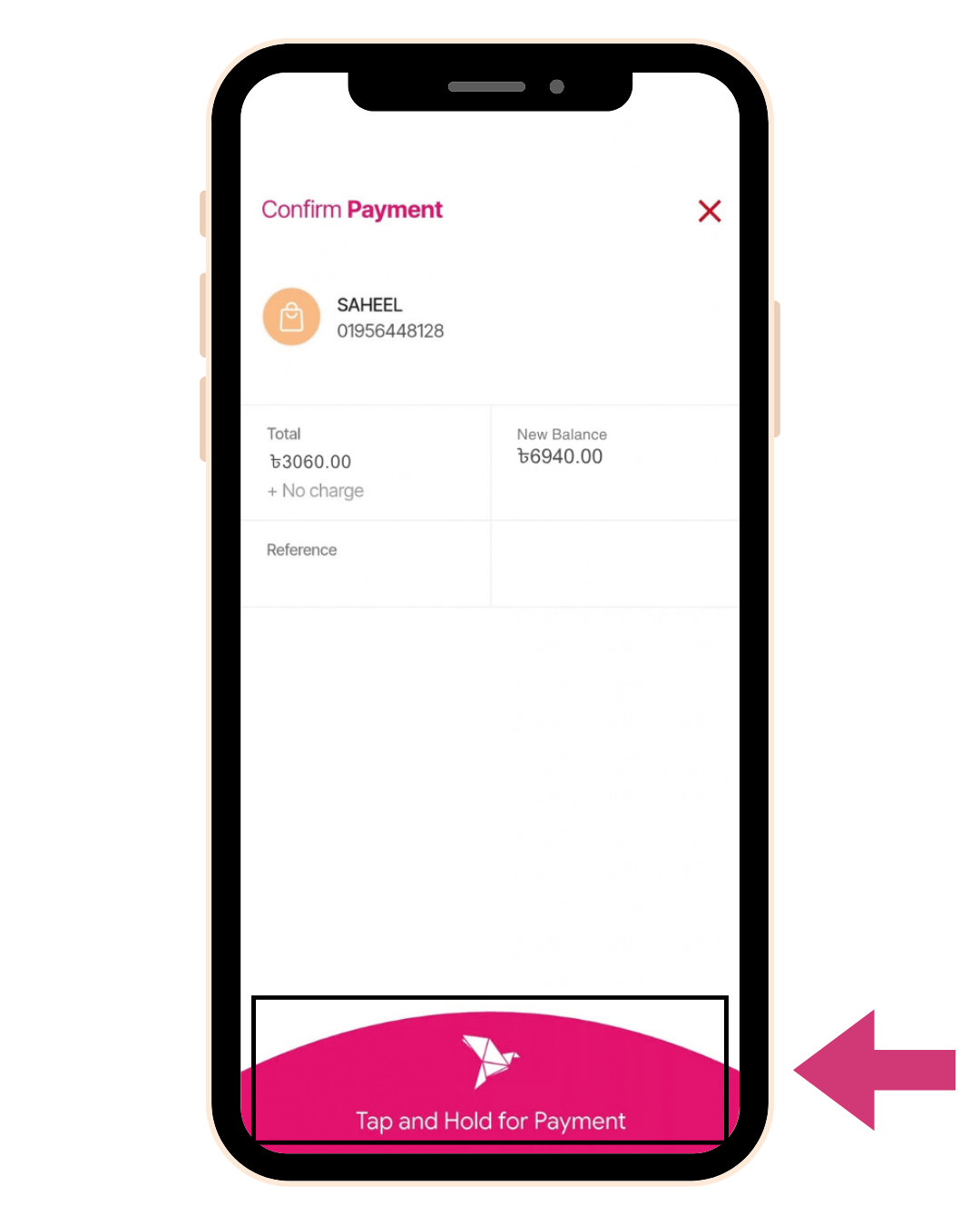
Confirm and hold
Review the total, then tap and hold the pink button at the bottom to authorise the payment.
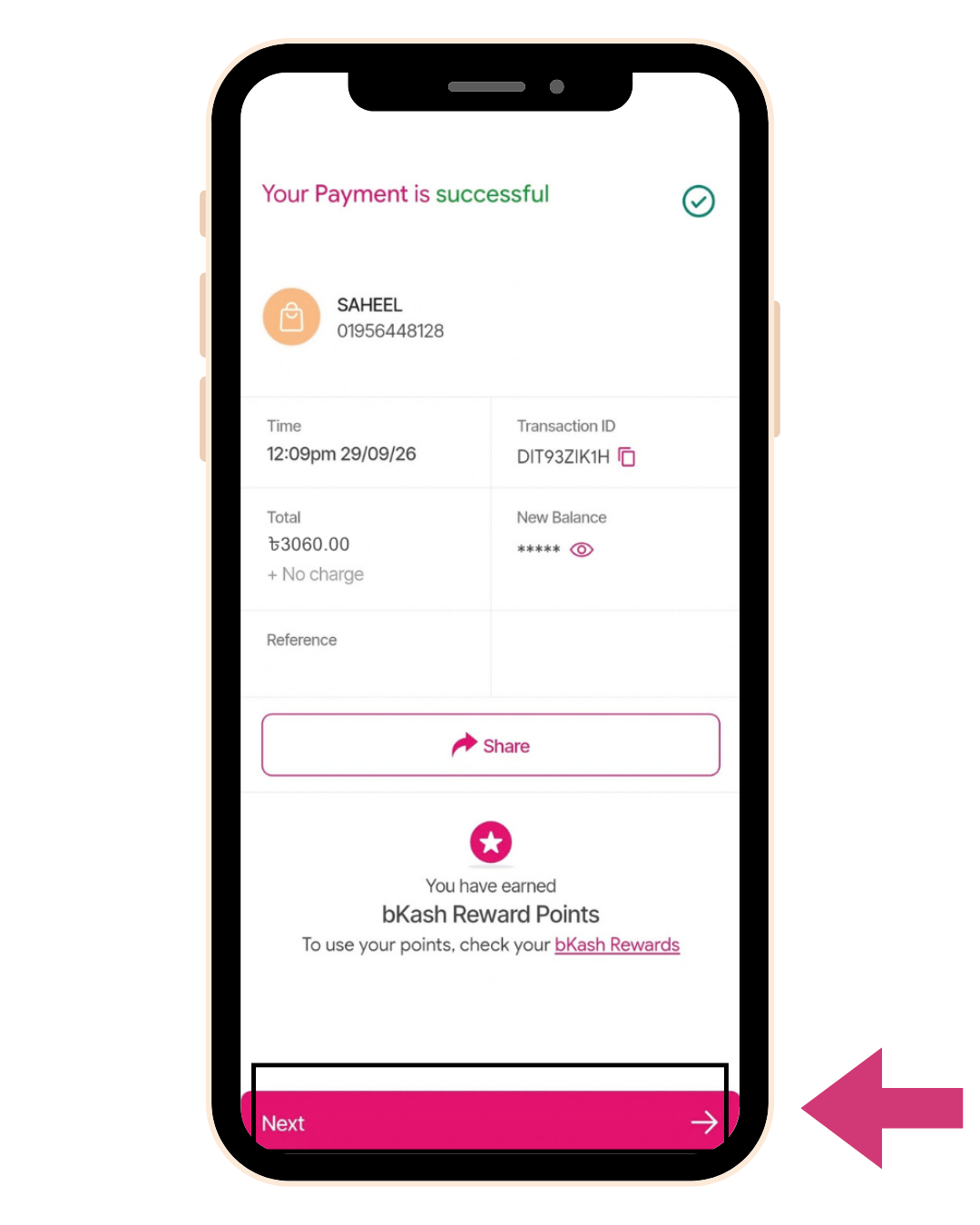
Payment successful
You will see a success screen with a Transaction ID. Screenshot this screen — you will need it for the next step.
Important: Reply to your payment instructions email with this screenshot. We verify payments manually within 72 hours.
After your payment
Reply to your payment instructions email with the screenshot from Step 7. Our team verifies payments within 72 hours and sends your registration confirmation.
Need help? Email delegateaffairs@bymun.org